
One year review of the Razer Cynosa Lite keyboard

My consumer feedback of the Razer Cynosa Lite keyboard after one year of use

Razer Cynosa Lite keyboard

It has been a full year since I first tested the Razer Cynosa Lite keyboard and I have been using it on daily basis since then. Today I want to share my personal impressions and consumer feedback about it, comment on the positives as well as the downsides (if any at all). 

Build quality and durability

I will be pretty quick in this category. There is not a single quality issue that I have experienced since I bought the Razer Cynosa Lite. Everything is working as expected and I have the feeling that this keyboard is going to last for at least couple more years.

keyboard build quality

Comfort of use

The layout of the Razer Cynosa Lite is standard, nothing really special.  There is a long enough key travel but the feeling while typing is relatively soft so my fingers don't get tired after longer typing. 
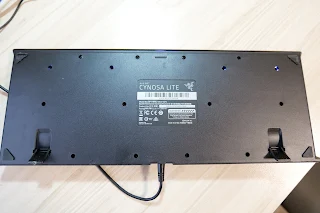
Razer Cynosa Lite product tag

The only thing that I would change if I could is to make the keys just a bit bigger and the spacing between them smaller. That is because I am typing on laptop keyboards quite often and having similar key size and layout would make the transition between laptop and PC a bit smoother and easier.

My Razer Cynosa Lite - video

The keys are a bit louder that I would wish but nothing too disturbing I guess, as long as no one is sleeping in the same room.

keyboard numeric pad

I almost never use the numeric keypad but still it is nice to have.

Other thoughts

I am really happy with the performance of the Razer Cynosa Lite keyboard and I believe it has one of the best value for money ratios in the segment. It is one of the cheaper gaming keyboards on the market, priced at around $35. 

I would definitely recommend the Razer Cynosa Lite keyboard for those of you who want an affordable decent keyboard that would suit not only gaming configurations but also office setups.

Comments

Popular posts from this blog

Sony Bravia KDL-42W650A Full HD LED TV review

Sony Bravia KDL-42W650A Full HD LED TV price, specs and review Sony Bravia KDL-42W650A  Full HD LED TV Sony Bravia KDL-42W650A review - today at our consumer blog we are going to take a look at one of the latest 42-inch Sony Full HD TVs which offers great picture quality and will suit best everyone who needs an excellent home cinema experience without 3D effects. Sony Bravia KDL-42W650 is still not very popular around the world and the reason for that is not the lack of quality or functions which this TV is fully packed with but because of the fact that the  KDL-42W650/ KDL-42W650A is mostly going to be sold in Eastern Europe and some parts of Asia. Of course you can find this TV in other countries as well but it is still not presented in huge markets like UK and USA.

Lenovo ThinkPad E16 Gen 3 vs. Gen 2: The Key Upgrades Review

Why the ThinkPad E16 Gen 3 Is Worth the Upgrade The Lenovo ThinkPad E16 series is designed to be the "budget titan" of the business laptop world, offering the classic ThinkPad durability without the premium price tag. In this review, we compare the latest Gen 3 model against its predecessor, the Gen 2, to see if the upgrades justify the jump. While both are solid, the Gen 3 delivers crucial quality-of-life fixes that make it the far superior option.

Samsung Warning: Unplug charger immediately

How to solve the "Warning: Unplug charger immediately. We've detected moisture or foreign material in your charging/USB port" In case you've got the  Warning: Unplug charger immediately message on your Samsung smartphone but there is neither moisture or anything else in your phone port, well you are not the only one.  It seems that many consumes received this warning message on their phones without a reason. We are not sure what may have caused the issue on our case, noticed on the Galaxy Note 9 but there are some suggestion for quick fixes that we found online.