Canon Pixma TS705 - everything I know about this affordable color inject printer, including consumer opinion, features and specs
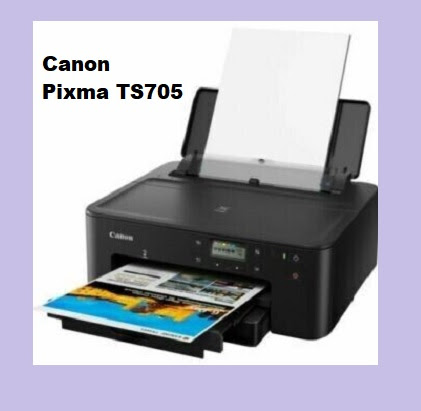
The Canon Pixma TS705 is a wireless inkjet printer designed for home and small office use. If you are in the market for a reliable printer that can handle a variety of print jobs, the TS705 may be worth considering. In this article, we will explore the printer's key features, specifications, and customer feedback to help you determine if it's the right choice for your needs.
Canon Pixma TS705 - product features and specifications
- Print resolution: Up to 4800 x 1200 dpi
- Print speed: Up to 15 pages per minute (black and white) or 10 pages per minute (color)
- Connectivity: Wi-Fi, Ethernet, and USB
- Paper handling: 250-sheet paper cassette, 100-sheet rear tray
- Duplex printing: Automatic
- Ink cartridges: 5 individual ink cartridges (PGI-580PGBK, CLI-581BK, CLI-581C, CLI-581M, CLI-581Y)
- Compatible operating systems: Windows, Mac, and mobile devices via the Canon PRINT app
Design and Features
The Canon Pixma TS705 has a sleek and compact design that can fit comfortably on a desk or shelf. It features a 250-sheet paper cassette and a 100-sheet rear tray, which makes it easy to handle large print jobs without needing to refill the paper tray frequently. The printer also has automatic duplex printing, which can help save time and reduce paper waste.
Connectivity
The TS705 offers a range of connectivity options, including Wi-Fi, Ethernet, and USB. You can also use the Canon PRINT app to print from your mobile device. The app is available for both iOS and Android and allows you to print photos and documents directly from your smartphone or tablet.
Print Quality
The TS705 boasts a print resolution of up to 4800 x 1200 dpi, which means it can produce high-quality prints with sharp text and vivid colors. The printer uses five individual ink cartridges (PGI-580PGBK, CLI-581BK, CLI-581C, CLI-581M, CLI-581Y), which can help to reduce ink waste and ensure that you only need to replace the cartridges that are running low.
Print Speed
The Canon Pixma TS705 can print up to 15 pages per minute in black and white or 10 pages per minute in color. This makes it a fast and efficient choice for printing documents, photos, or other materials.
Customer Feedback
In general, customers are pleased with the Canon Pixma TS705. Many users praise the printer's fast print speeds, high-quality prints, and user-friendly interface. Some customers also appreciate the large paper capacity, which makes it easy to handle large print jobs without needing to refill the paper tray frequently.
However, there are some complaints about the cost of replacement ink cartridges, which can be expensive. Some users also report issues with paper jams or connectivity problems with the printer, although these issues appear to be relatively rare.
Conclusion
The Canon Pixma TS705 is a solid choice for home and small office use, particularly if you value fast print speeds and high-quality prints. It offers a range of connectivity options, including Wi-Fi, Ethernet, and USB, and can also be used with the Canon PRINT app for mobile printing.
While replacement ink cartridges can be expensive, the printer's five individual ink cartridges can help to reduce ink waste and ensure that you only need to replace the cartridges that are running low. If you are in the market for a reliable printer that can handle a variety of print jobs, the Canon Pixma TS705 may be worth considering.
Leave a Comment