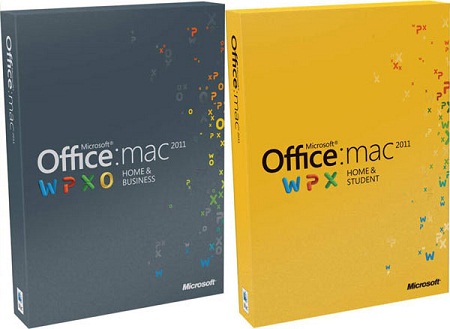
Microsoft Office Home and Business 2011 for Mac
Microsoft Office is the most popular productivity suite in the world with over 1 billion PCs and Macs running Office. It’s the easiest way to share, create or access your documents from almost anywhere.
For the 2011 edition Microsoft Office for Mac has some major improvements.
Some of them are brand new, others are improved features from before but they all are making this software much more productive and easy to use. Here are some of the new features for Office Home and Business 2011:
Outlook for Mac. Manage your email and calendars with features that simplify staying connected and up to date. Keeps you connected to e-mail, schedules, calendars, to-do lists, and contacts.
Ribbon. Access favorite commands quickly, and personalize your workspace.
Office Web Apps. Post, edit, and share files from virtually anywhere.
Coauthoring. Simultaneously edit a file with authors in multiple locations.
Template Gallery Visually select the perfect template for your next project.
Photo Editing Remove backgrounds or add color filters right within PowerPoint®.
Full Screen View Use full screen to maximize space for reading and writing.
Presentation Broadcast Broadcast a presentation instantly online, even to people without PowerPoint.
Improved Publishing Layout View. Create visually rich newsletters, brochures, and documents easily.
Sparklines. Create small charts in a single cell to discover patterns in your data.
Visual Basic Support Automate repetitive tasks by programming your favorite commands.
Dynamic Reordering Rearrange layers of text, photos, and graphics quickly.
Microsoft Office for Mac Home and Business 2011 includes Outlook for Mac 2011, Word for Mac 2011, Excel for Mac 2011 and PowerPoint for Mac 2011.
 |
| Microsoft Office for Mac |
Microsoft Office is the most popular productivity suite in the world with over 1 billion PCs and Macs running Office. It’s the easiest way to share, create or access your documents from almost anywhere.
For the 2011 edition Microsoft Office for Mac has some major improvements.
Some of them are brand new, others are improved features from before but they all are making this software much more productive and easy to use. Here are some of the new features for Office Home and Business 2011:
Outlook for Mac. Manage your email and calendars with features that simplify staying connected and up to date. Keeps you connected to e-mail, schedules, calendars, to-do lists, and contacts.
Ribbon. Access favorite commands quickly, and personalize your workspace.
Office Web Apps. Post, edit, and share files from virtually anywhere.
Coauthoring. Simultaneously edit a file with authors in multiple locations.
Template Gallery Visually select the perfect template for your next project.
Photo Editing Remove backgrounds or add color filters right within PowerPoint®.
Full Screen View Use full screen to maximize space for reading and writing.
Presentation Broadcast Broadcast a presentation instantly online, even to people without PowerPoint.
Improved Publishing Layout View. Create visually rich newsletters, brochures, and documents easily.
Sparklines. Create small charts in a single cell to discover patterns in your data.
Visual Basic Support Automate repetitive tasks by programming your favorite commands.
Dynamic Reordering Rearrange layers of text, photos, and graphics quickly.
Microsoft Office for Mac Home and Business 2011 includes Outlook for Mac 2011, Word for Mac 2011, Excel for Mac 2011 and PowerPoint for Mac 2011.
Leave a Comment